Matched setups / Kids
Best kids keyboard & mouse (2026)
A parent's guide to a first keyboard and mouse: what actually matters for small hands — size, quiet, durability, simple wireless and price — with two honest picks and no marketing aimed at your child.
This guide is written for the parent doing the buying, not the child. A first keyboard and mouse doesn't need to be fancy — it needs to fit small hands, survive daily use, stay quiet in a shared room, and cost little. Below is what to look for, and two picks that hit those marks.
Every price and feature here is from a manufacturer page (linked per pick). Setup Quarterly does not test these first-hand; this is a research-led synthesis, produced with AI assistance as part of our workflow. Product photos are courtesy of each manufacturer. Colours and stock vary — verify the exact variant before buying.
What actually matters (for the parent)
- Size. A compact keyboard and a small mouse fit small hands far better than adult full-size gear.
- Quiet. Silent keys and clicks are a real relief in a home or shared room.
- Durability. Membrane keyboards tolerate spills and heavy presses cheaply.
- Simple & safe. Wireless with a plug-in receiver removes cable-trip hazards; no software to install.
- Price. A first setup should be cheap — both picks here are under $30.
- Fun, second. A colour or design a child likes is a nice bonus on top of the basics, not the reason to buy.
The picks
Best all-in-one kids set
Perixx PERIDUO-715
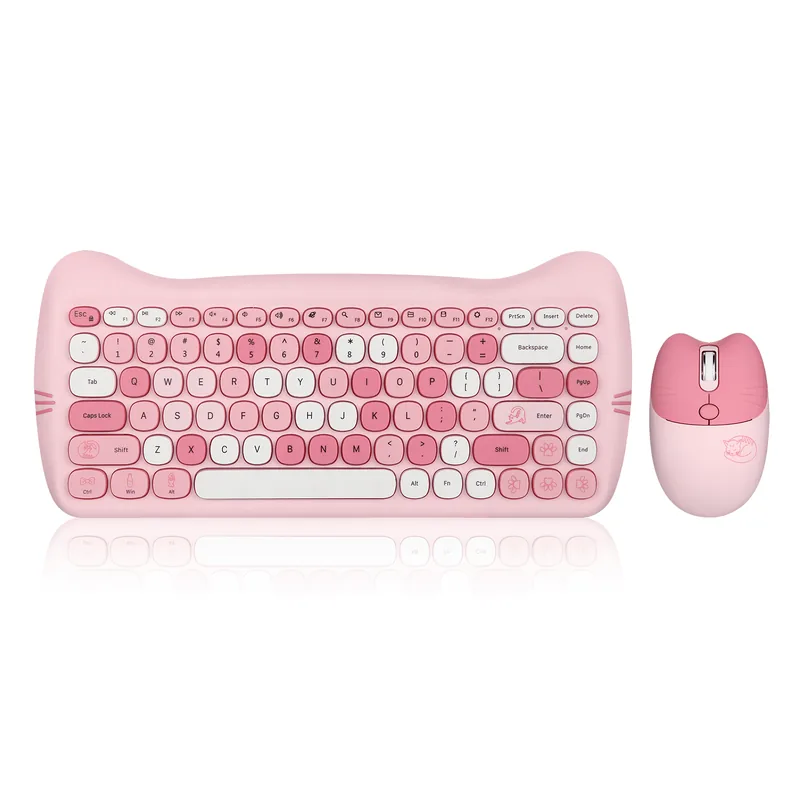
- What it is: Wireless mini keyboard + matching mini mouse set
- Colourway: Pink candy, cat-ear design
- Approx. price: ~$20
Why it works for kids:
- Compact 34cm keyboard — smaller than adult full-size, easier for small hands to reach across
- Silent keys (over 90% noise reduction) — a real quality-of-life win at home
- 2.4GHz wireless — one nano-receiver, no Bluetooth pairing and no cables to trip over
- Durable membrane switches that shrug off spills and heavy little hands
- No software to install — plug the receiver in and it works
- A bundled mini mouse sized for very small hands
Honest note: It's a membrane combo, not a mechanical gaming board — which is exactly right for a young child and a $20 budget. Stock comes and goes: it's often out on Perixx's own site, so we link an Amazon search / listing to check current availability.
Source: manufacturer page.
Best standalone kids mouse
Logitech Pebble Mouse 2 M350s
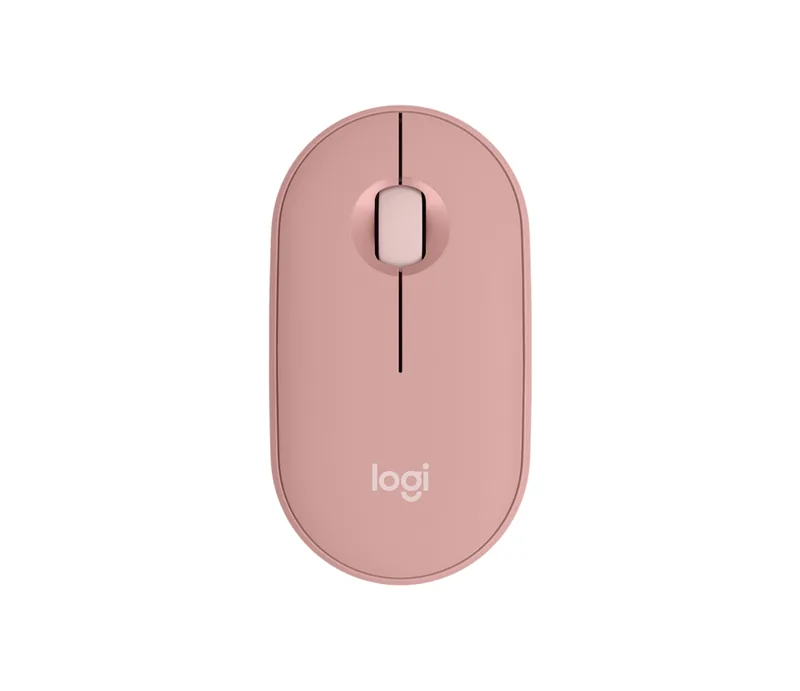
- What it is: Small, silent wireless mouse
- Colourway: Tonal Rose
- Approx. price: ~$25
Why it works for kids:
- Small, low-profile ambidextrous shape — comfortable for small (and left) hands
- Silent clicks and scroll — noticeably quieter than a typical mouse
- Bluetooth or a Logi Bolt nano-receiver, with up to 18-month battery life on one AA
- Plug-and-play — no driver or account needed
- Made with over 40% recycled plastic, if that matters to you
Honest note: A step up in build quality from the bundled combo mouse — a good choice if you want a nicer, longer-lasting mouse and don't need the matching keyboard. The Tonal Rose colour is soft and gender-neutral.
Source: manufacturer page.
Frequently asked questions
What should I look for in a keyboard and mouse for a young child?
Five things, in rough order: size (a compact keyboard and a small mouse suit small hands far better than adult full-size gear); quiet (silent keys and clicks are a genuine relief at home); simplicity (wireless with a plug-in receiver and no software to install); durability (membrane keyboards handle spills and heavy presses cheaply); and price (there's no reason to spend a lot on a first setup). A fun colour or design helps too — but it should be a nice-to-have on top of those basics, not the reason to buy.
Are these gaming keyboards?
No — and for a young child that's the point. Neither of these is marketed as gaming hardware; they're compact, quiet, durable and cheap, which is what a first keyboard and mouse should be. A full mechanical gaming keyboard is louder, larger and more expensive than a young child needs. If you have an older kid who genuinely games, our regular guides (best gaming keyboards, best mouse) are a better fit.
Mechanical or membrane for a child?
Membrane is usually the better call for a young child. It's cheaper, quieter, more spill-tolerant, and the softer press is fine for small fingers. Mechanical keyboards feel nicer to type on long-term and last longer, but they cost more and are louder — worth it for an older child who types a lot, overkill for a five-year-old's first keyboard.
Wired or wireless for kids?
Wireless is usually safer and tidier for a child's desk — there's no cable to trip over, snag or chew, and a single nano-receiver keeps setup simple. The trade-off is a battery (both picks here use a long-life AA) and a tiny receiver to not lose. If you'd rather avoid batteries entirely, a simple wired keyboard and mouse also work fine; the priority for kids is size and durability more than the connection type.
What age are these suitable for?
Roughly early-primary age and up — the compact keyboard and small mouse suit hands that find adult full-size gear a stretch, which is broadly the 5–10 range, though it depends on the child. Older children can use adult-size gear comfortably, so for a tween you may prefer a standard compact keyboard from our other guides in a colour they like, rather than a kids-specific set.
More setups
- All matched setups — white, pink and purple colour-matched builds.
- Best mouse of 2026 — for an older child ready for standard-size gear.
- Best keyboards for programming (2026) — compact boards in fun colours for tweens.
Affiliate disclosure: some links above are affiliate links (Amazon
Associates, tag setupquarterly-20) — if you buy through
them, Setup Quarterly may earn a commission at no extra cost to you. We do not
accept payment for reviews, and commissions never influence a pick. See our
disclosure and methodology.