Buyer's guide / Keyboards
Best keyboards for programming (2026)
Five picks for developers -- a premium aluminium custom, a value board with the same firmware, a portable low-profile, a $40 budget surprise, and the quietest option for shared offices. Ranked from published specs and independent testing.
Last updated July 4, 2026
The keyboard is the one tool a programmer touches for every minute of the day, yet most "best keyboard" lists are written for gamers. This one isn't. The things that matter for coding are different: a layout that keeps your mouse close, switches you can actually type on for hours, and firmware that lets you remap keys and build layers so the shortcuts live on the board, not on one machine.
This guide is a research-led synthesis of manufacturer specifications and independent testing -- principally RTINGS, linked per pick -- plus long-term owner consensus. Setup Quarterly does not benchmark keyboards first-hand; every figure below traces to a cited source, and it was produced with AI assistance as part of our research workflow. Product photos are courtesy of each manufacturer.
The picks at a glance
- Keychron Q5 Max — Best overall.
- Keychron V5 Max — Best value.
- NuPhy Air75 V3 — Best compact / low-profile.
- AULA F99 — Best budget.
- Logitech MX Keys S — Best for quiet office typing (non-mechanical).
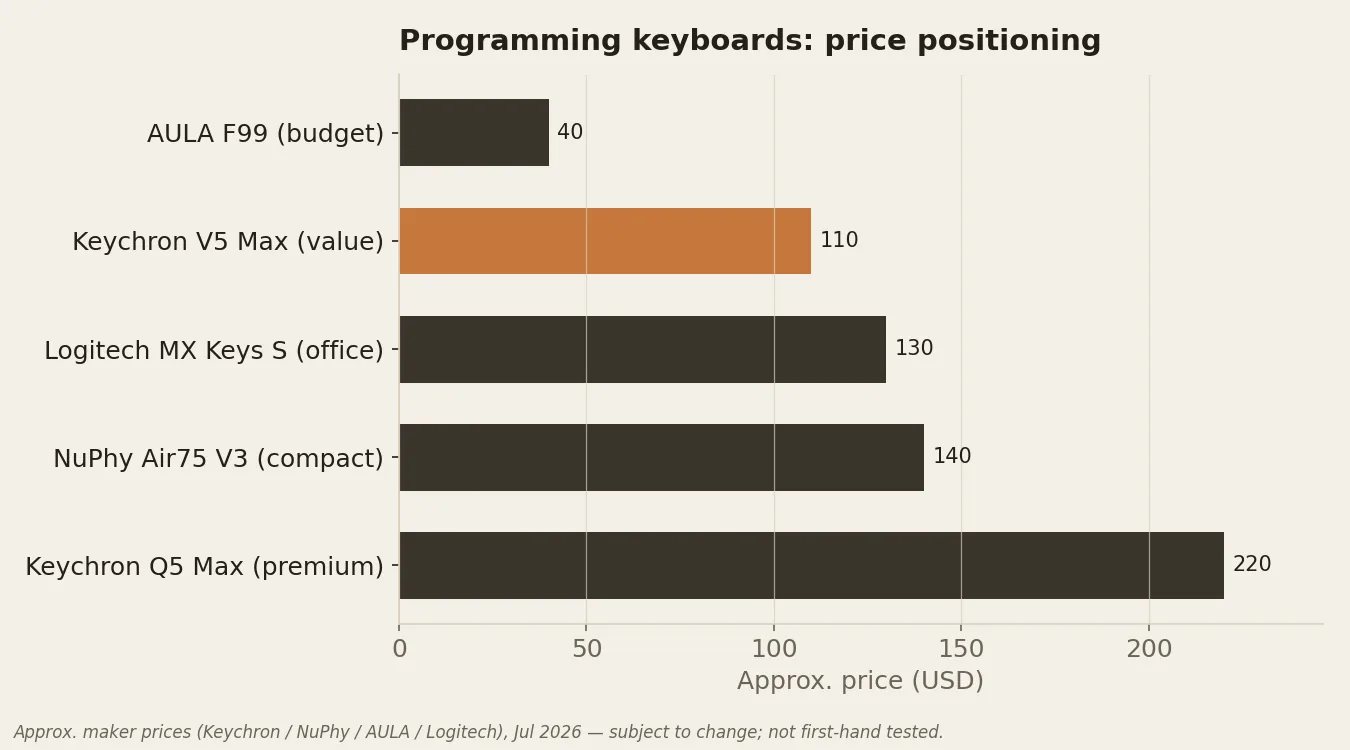
At a glance: specs compared
| Keyboard | Layout | Switches | Connectivity | Remapping | Price |
|---|---|---|---|---|---|
| Keychron Q5 Max | 96% (compact full-size, numpad) | Gateron Jupiter linear / tactile / clicky — hot-swappable | USB-C, 2.4GHz, Bluetooth 5.1 | QMK / VIA | ~$220 |
| Keychron V5 Max | 96% (compact full-size, numpad) | Gateron Jupiter linear / tactile / clicky — hot-swappable | USB-C, 2.4GHz, Bluetooth 5.1 | QMK / VIA | ~$110 |
| NuPhy Air75 V3 | 75% (compact) | Gateron low-profile linear / clicky / silent — hot-swappable | Bluetooth 5.1 (up to 3 devices), 2.4GHz receiver | NuPhy.IO (web-based remap; not QMK) | ~$140 |
| AULA F99 | ~96% compact full-size (sources differ; see note) | Mechanical, hot-swappable (specific stem type unconfirmed) | USB-C, 2.4GHz, Bluetooth 5.0 | AULA software (not QMK; limited remapping) | ~$40 |
| Logitech MX Keys S | Full-size (100%) | Scissor (low-profile, non-mechanical) | Bluetooth (up to 3 devices), Logi Bolt receiver | Logi Options+ (Smart Actions; no hardware macros) | ~$130 |
Compiled from manufacturer specs and RTINGS reviews. Prices are approximate and in USD.
The picks in detail
Best overall
Keychron Q5 Max
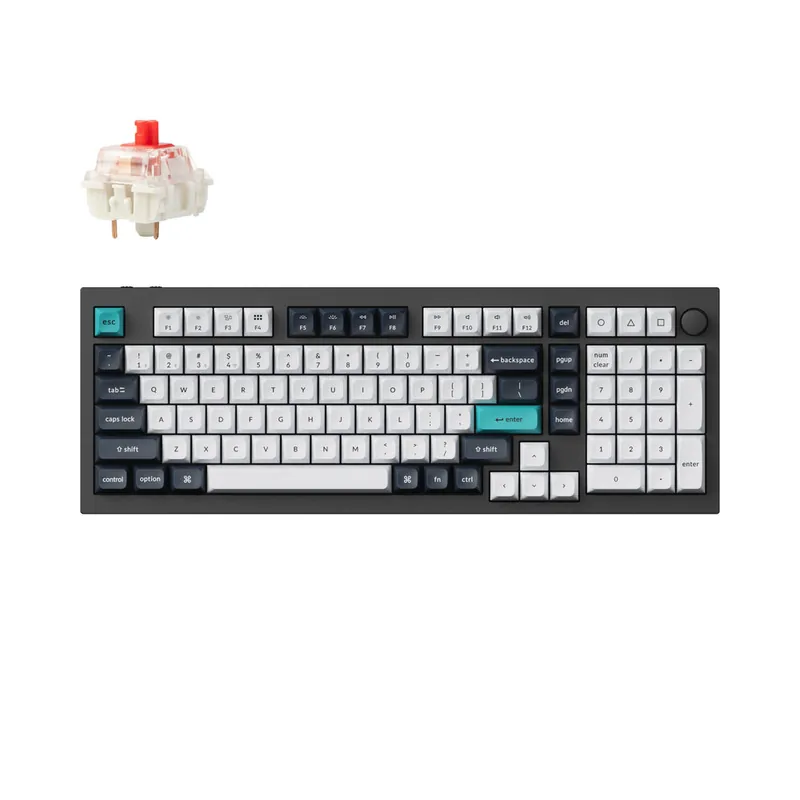
- Layout: 96% (compact full-size, numpad)
- Switches: Gateron Jupiter linear / tactile / clicky — hot-swappable
- Connectivity: USB-C, 2.4GHz, Bluetooth 5.1
- Remapping: QMK / VIA
- Price: ~$220 (approx.)
Why it's here: CNC-aluminium double-gasket build, true 1000Hz over wired or 2.4GHz, QMK/VIA remapping, double-shot PBT.
The catch: South-facing LEDs mean stock keycaps don't shine through; stabilisers can rattle slightly.
Sources: manufacturer specs · RTINGS review.
Best value
Keychron V5 Max
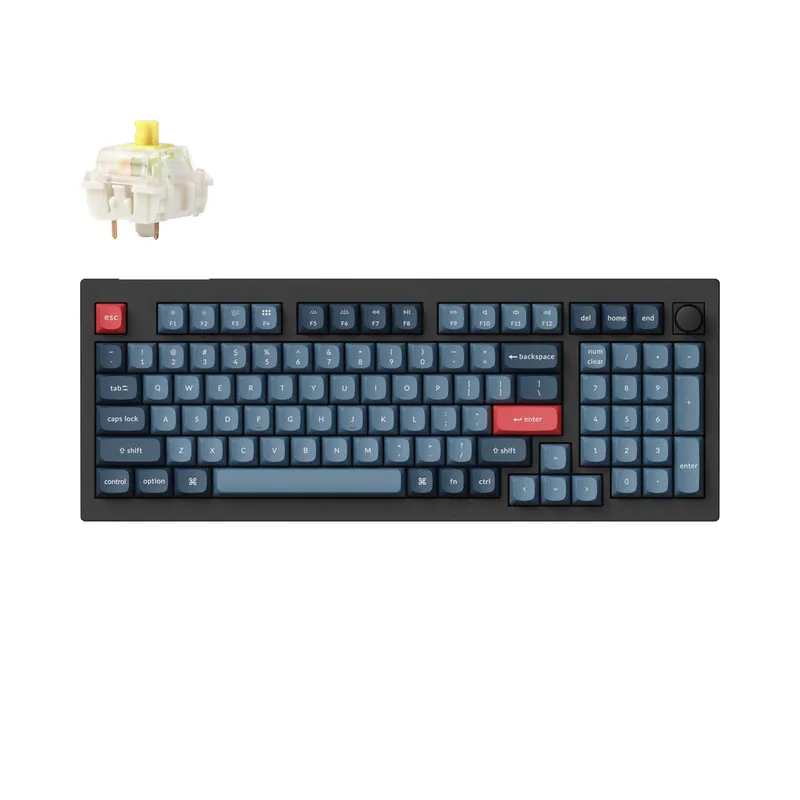
- Layout: 96% (compact full-size, numpad)
- Switches: Gateron Jupiter linear / tactile / clicky — hot-swappable
- Connectivity: USB-C, 2.4GHz, Bluetooth 5.1
- Remapping: QMK / VIA
- Price: ~$110 (approx.)
Why it's here: Same gasket mount and QMK/VIA firmware as the Q5 Max in a plastic frame at roughly half the price; sound-dampening foam and screw-in stabilisers.
The catch: South-facing RGB (no stock shine-through legends); faint stabiliser rattle.
Sources: manufacturer specs · RTINGS review.
Best compact / low-profile
NuPhy Air75 V3
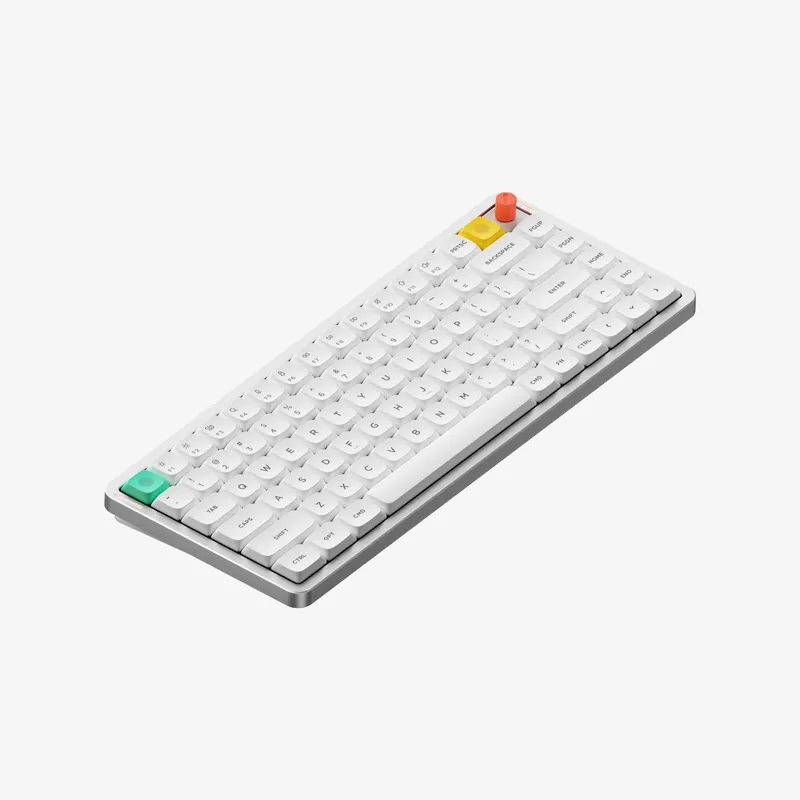
- Layout: 75% (compact)
- Switches: Gateron low-profile linear / clicky / silent — hot-swappable
- Connectivity: Bluetooth 5.1 (up to 3 devices), 2.4GHz receiver
- Remapping: NuPhy.IO (web-based remap; not QMK)
- Price: ~$140 (approx.)
Why it's here: Gasket-mounted low-profile board with 1000Hz polling and an optional knob — thin enough to be comfortable without a wrist rest, and portable.
The catch: Stock keycaps lack shine-through legends; uses NuPhy.IO rather than QMK/VIA.
Sources: manufacturer specs · RTINGS review.
Best budget
AULA F99
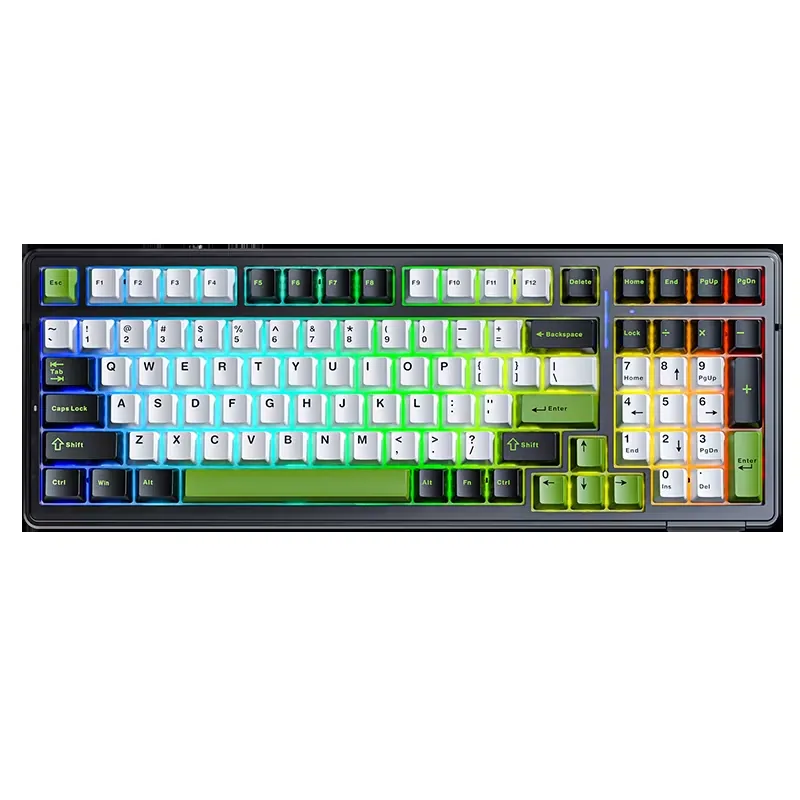
- Layout: ~96% compact full-size (sources differ; see note)
- Switches: Mechanical, hot-swappable (specific stem type unconfirmed)
- Connectivity: USB-C, 2.4GHz, Bluetooth 5.0
- Remapping: AULA software (not QMK; limited remapping)
- Price: ~$40 (approx.)
Why it's here: Gasket mount, impressive latency and a genuinely good PBT typing feel for roughly $40.
The catch: Build quality is only decent, and the bundled software is limited and unintuitive.
Sources: manufacturer specs · RTINGS review.
Best for quiet office typing (non-mechanical)
Logitech MX Keys S
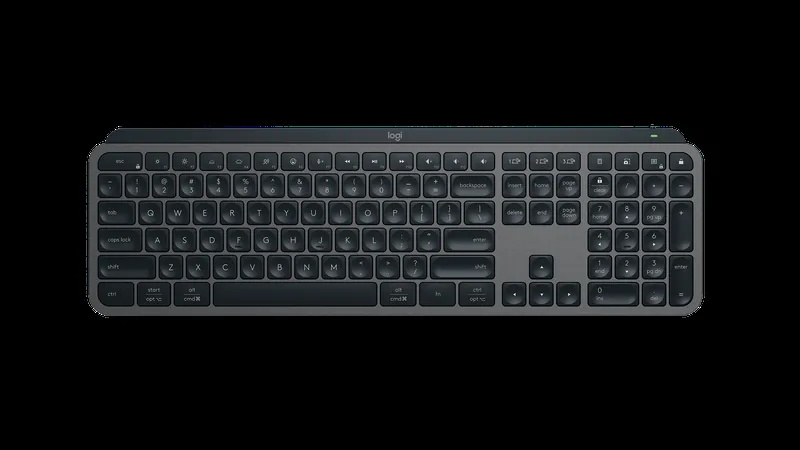
- Layout: Full-size (100%)
- Switches: Scissor (low-profile, non-mechanical)
- Connectivity: Bluetooth (up to 3 devices), Logi Bolt receiver
- Remapping: Logi Options+ (Smart Actions; no hardware macros)
- Price: ~$130 (approx.)
Why it's here: Very quiet, slim and comfortable without a wrist rest, with excellent multi-device switching and backlight auto-brightness.
The catch: Latency is too high for gaming, it's large and heavy (not portable), and there are no dedicated macro keys.
Sources: manufacturer specs · RTINGS review.
A note on two disputed specs
Two figures above are worth flagging honestly, because sources disagree. The AULA F99 is listed by AULA as a "full-size" board but categorised by RTINGS as a 96% compact layout; we haven't measured one, so we describe it as "~96% compact full-size." And AULA publishes the F99 as hot-swap mechanical without a consistently-stated switch stem type, so we don't assert a specific linear/tactile option. For the NuPhy Air75 V3, we list only the connectivity and features confirmed for the V3 revision; battery capacity carried over from the V2 is unconfirmed for the V3, so we leave it out rather than guess.
If RGB and looks matter more than firmware: the AULA family
AULA has become one of the most popular budget keyboard brands almost entirely on the strength of striking RGB colourways at very low prices — and they keep trending. They're genuinely capable boards: gasket-mounted, hot-swappable, with PBT keycaps, and RTINGS rates the F99/F75 family well for the money. The honest caveat for coders is that they run AULA's own software rather than open QMK/VIA firmware, so they're better thought of as a value-and-looks pick than a programming power-user board.
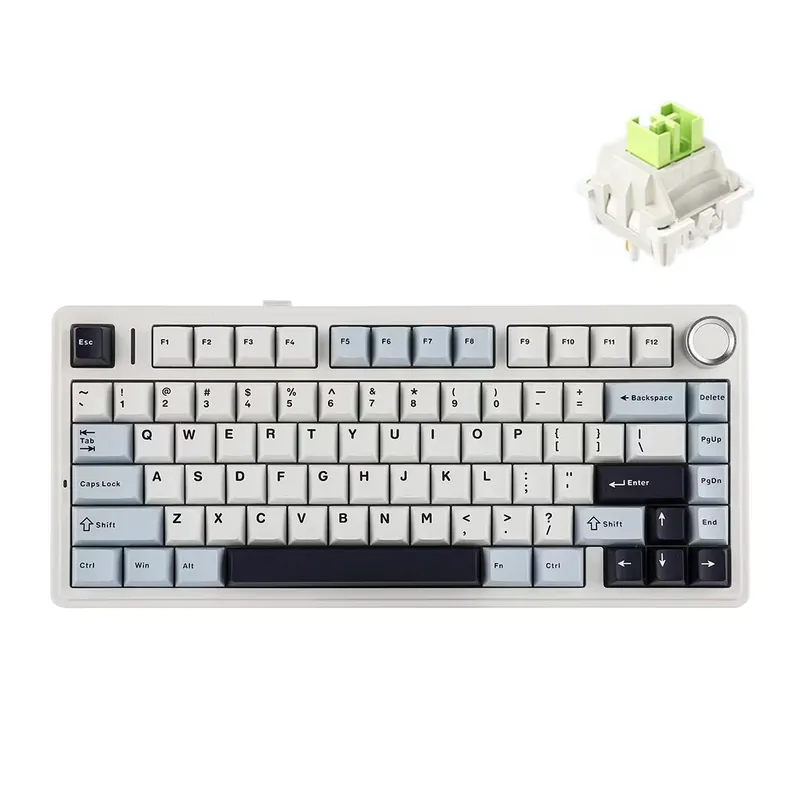
- AULA F75 — the one you've seen everywhere: 75% layout, tri-mode wireless (2.4GHz / Bluetooth / USB-C), hot-swap, RGB, PBT, with a knob on the Pro version, in a range of gradient colourways. Roughly $40–55. Check on Amazon →
- AULA F87 — the same recipe in a TKL layout for a smaller footprint. Check on Amazon →
- AULA F99 — the 96% version (our budget pick above), if you want a numpad. Jump to the F99 ↑
Specs from AULA's product pages + the RTINGS F99/F75 review. Prices approximate. Setup Quarterly does not test first-hand.
Worth pairing (honest complementary picks)
These are category recommendations, not specific SKUs — genuinely useful alongside any of the boards above:
- A wrist rest sized to your layout — most useful with the full-height Q5 Max, V5 Max and the full-size MX Keys S; the low-profile Air75 V3 needs one less. Browse on Amazon →
- A shine-through PBT keycap set — a natural upgrade for the hot-swap boards whose stock caps don't light through (note: the Air75 V3 needs low-profile caps, not standard profiles). Browse on Amazon →
- An XL desk mat — unifies keyboard and mouse, dampens desk noise, and adds wrist comfort. Browse on Amazon →
- A USB-C hub or small KVM — handy if you switch a wired board between a personal machine and a work laptop. Browse on Amazon →
Frequently asked questions
What is the best keyboard for programming in 2026?
Based on RTINGS' testing and broad reviewer consensus, the Keychron Q5 Max is the strongest all-round choice: an aluminium gasket-mount board with hot-swappable switches, QMK/VIA remapping, and wired or wireless connectivity. If you want the same firmware and gasket feel for about half the price, the plastic-framed Keychron V5 Max is the value pick. Setup Quarterly does not test these first-hand — this is a synthesis of published specs and independent reviews.
Which layout is best for coding — 65%, 75%, or full-size?
It's a trade-off between desk space and dedicated keys. A 75% layout (like the NuPhy Air75 V3) keeps the arrow keys and a function row while freeing desk space so your mouse sits closer, which is easier on the shoulder. A 96%/full-size board (Keychron Q5 Max, MX Keys S) keeps a numpad, useful if you work with numbers or use numpad shortcuts. There's no single 'best' — pick the smallest layout that still has the keys you actually use.
Are QMK and VIA worth it for programmers?
For many developers, yes. QMK/VIA let you remap keys, build layers, and create macros in firmware — so the changes live on the keyboard and work on any machine, including remotes and locked-down work laptops. The Keychron Q5 Max and V5 Max both support QMK/VIA. Boards like the NuPhy Air75 V3 (NuPhy.IO) and Logitech MX Keys S (Options+) offer remapping too, but through their own software rather than open firmware.
Mechanical or low-profile for long coding sessions?
Both work; it comes down to feel and ergonomics. Full-height mechanical boards (Q5 Max, V5 Max) offer more switch choice and a deeper typing feel but usually want a wrist rest. Low-profile boards (NuPhy Air75 V3, Logitech MX Keys S) sit closer to the desk, which many people find comfortable without a rest and quieter for shared spaces. If noise matters in an office, the scissor-switch MX Keys S is the quietest of these picks.
Do these keyboards help with wrist strain?
A keyboard alone won't fix RSI, but a lower-profile board or a wrist rest can reduce wrist extension, and a compact layout lets your mouse sit closer so you reach less. None of these picks is a split/ergonomic board — if you have significant wrist pain, a dedicated split ergonomic keyboard (a different category) may serve you better. Pairing any of these with a proper wrist rest and a large desk mat is the simplest upgrade.
Related guides
- Best gaming keyboards of 2026 — the same board classes, ranked for gaming (Hall-effect, RGB, budget).
- Best graphics cards of 2026 — the rest of the workstation.
- Best standing desks of 2026 — what the keyboard sits on.
- Best mouse of 2026 — productivity and gaming mice to pair with the board.
- Keyboard switches compared 2026 — sortable data on the switch under every key.
- GPU benchmark hierarchy 2026 — sortable performance-per-dollar.
Affiliate disclosure: some links above are affiliate links (Amazon
Associates, tag setupquarterly-20) — if you buy through
them, Setup Quarterly may earn a commission at no extra cost to you. We do not
accept payment for reviews, and commissions never influence a pick. See our
disclosure and methodology.