Buyer's guide / Standing desks
The best standing desks of 2026 for a home office
Five picks across five budgets and room sizes: the cheapest credible electric desk, the mid-range sweet spot, the compact desk for small rooms, the four-leg frame for triple-monitor builds, and the premium desk that ships ready to use.
By Setup Quarterly Editorial · Last updated July 13, 2026
A standing desk is one of the cheapest workstation upgrades you'll make that you'll actually notice every day. Get the right one and it disappears: smooth lifts, rock-solid at full height, enough cable management to keep the monitor arms tidy. Get the wrong one and the next four years are a quiet daily friction tax -- wobble at standing height, motors that whine, presets that drift, and a top finish that looks tired by the second year.
We picked five desks across five budgets and room sizes. One note on what's here and what isn't: the desks enthusiasts name first -- the Uplift V2, the Fully Jarvis Bamboo, the Branch Four-Legged -- are sold primarily direct from the manufacturer rather than on Amazon, where availability is intermittent and often third-party resold. This guide sticks to the desks you can reliably order on Amazon today, with one exception: the Uplift four-leg frame below, which is the one name-brand configuration consistently in stock. If you want the one-paragraph answer, skip to The bottom line.
The verdict, at a glance
Best budget
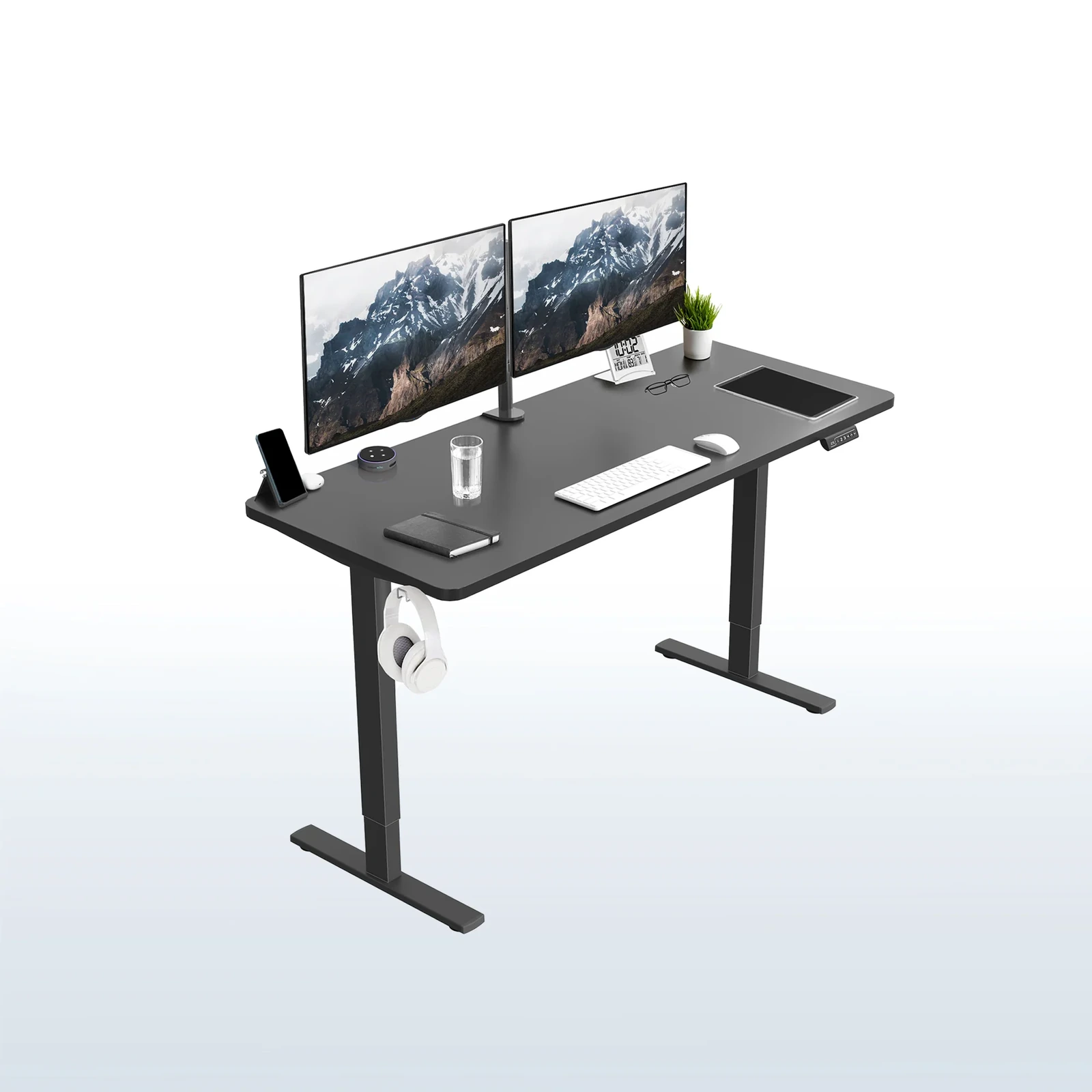
VIVO Electric 71x30 (DESK-KIT-1B7B)
The cheapest desk worth recommending — a real dual-motor electric with memory presets at hand-crank money (~$300).
Best mid-range
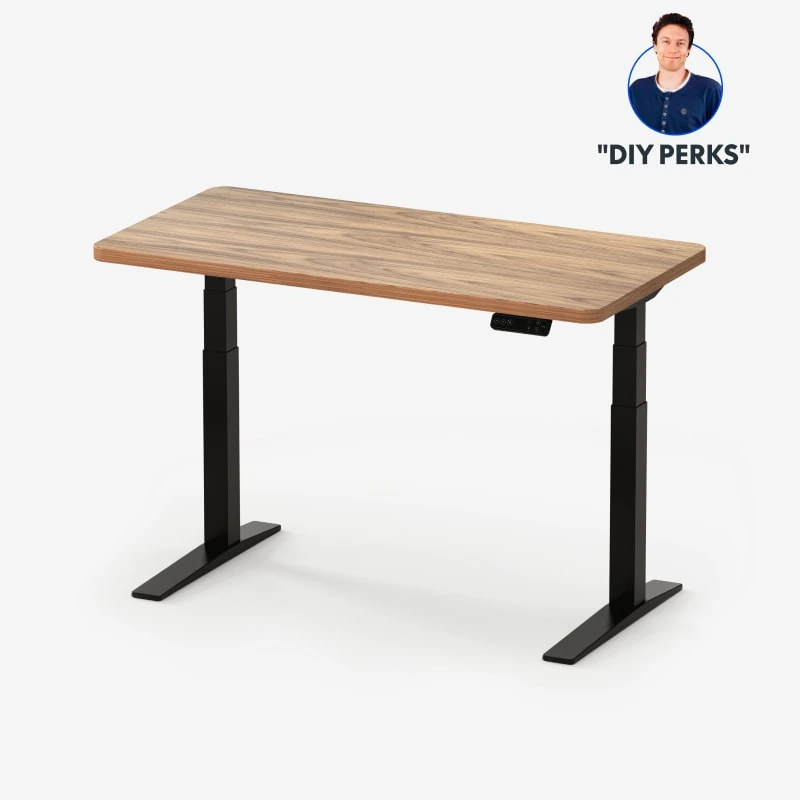
FLEXISPOT Large Dual Motor (71x32, Black Walnut)
The sweet-spot desk most buyers should get — a 71×32 walnut top on a dual-motor frame at single-motor prices.
Best compact
The smallest sensible desk — a 48×24 footprint for small rooms, with the top pre-attached so there's nothing to mount.
Best 4-leg stability
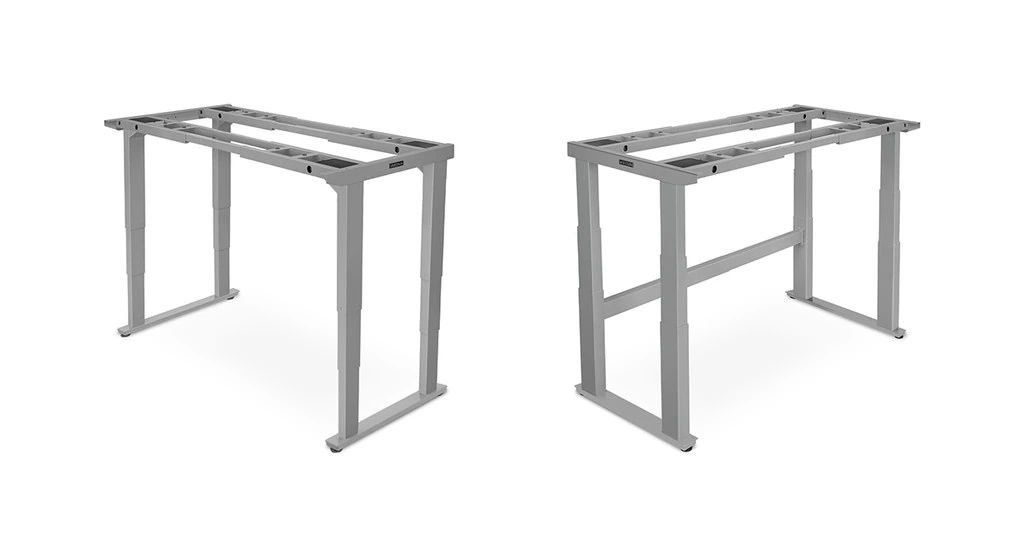
UPLIFT V2-Commercial 4-Leg Frame
The stability pick — four-leg quad-motor geometry drops wobble at full extension to nearly zero for triple-monitor builds.
Best premium
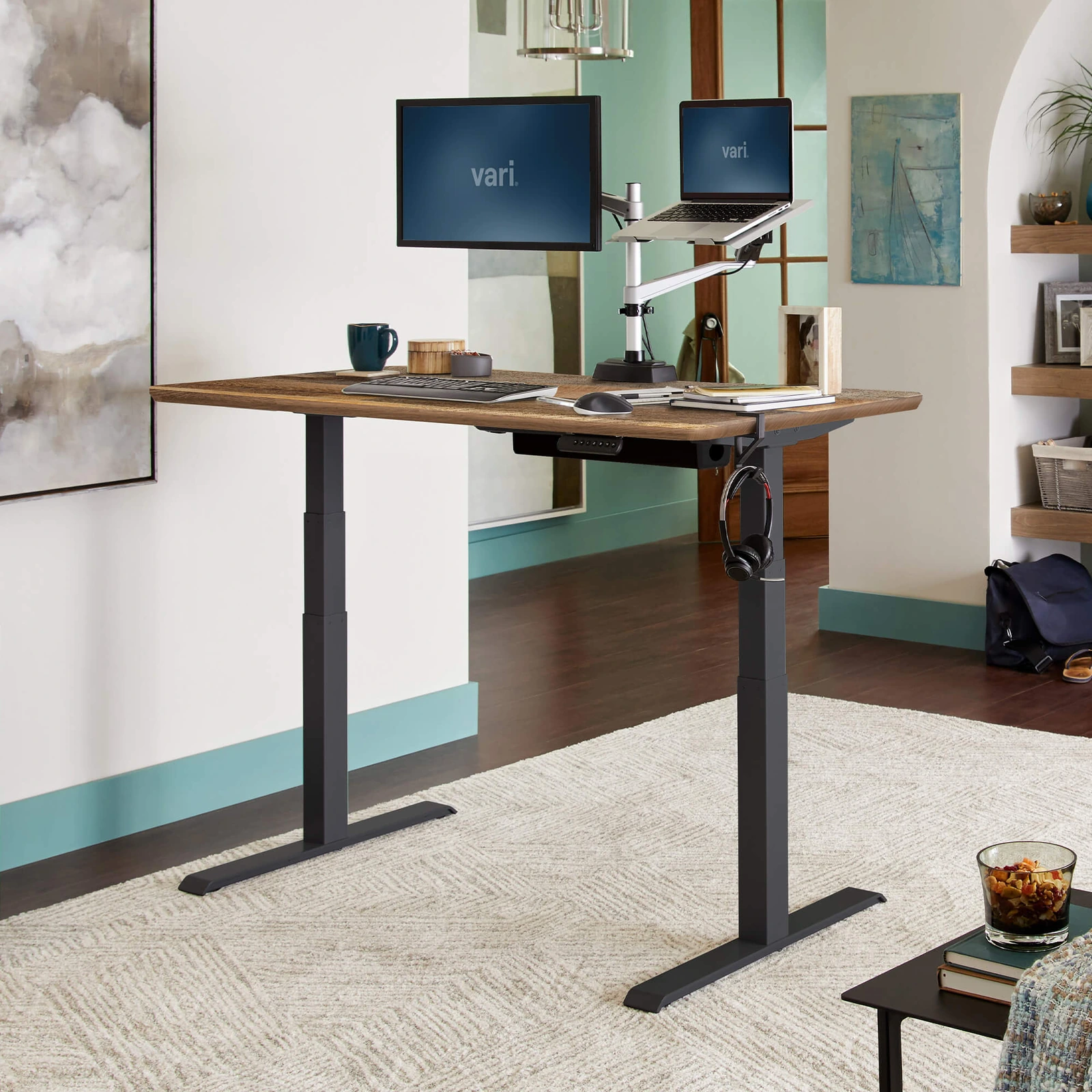
The premium desk ready the day it arrives — box to built in about fifteen minutes with eight bolts.
How we picked
Standing desk recommendations are easy to get wrong because the headline specs (lift speed, max height, MSRP) hide the things that actually matter day to day. Setup Quarterly weighs four signals:
- Stability at standing height. A desk that wobbles at 47 inches makes typing miserable and monitor arms a hazard. The gap between "stable seated" and "stable standing with weight on it" is where most cheap desks fail. We weight standing-height stability far more heavily than sit stability.
- Footprint vs. the room it's going in. A 71-inch desk is the right answer for a dedicated office and the wrong answer for a corner of a one-bedroom apartment. We picked across surface sizes deliberately so there's a desk that fits the room, not just the budget.
- Honest capacity and motor quality. A dual-motor frame lifts smoother and quieter than a single motor, and a rated capacity has to hold a monitor arm, a desktop PC, and a standing mat without straining. We don't recommend single-motor or hand-crank frames at any price on this list.
- Assembly under two hours by one person. If the desk needs a second human, a Phillips bit set, and three rounds of "wait, this leg goes the other way," we'll say so. Solo assembly time is a real cost, and the gap between best and worst on this list is four-to-one.
We do not accept payment to recommend products. See our affiliate disclosure for how Setup Quarterly is funded, and our methodology page for the rest of our editorial standard.
1. VIVO Electric 71×30 — Best budget
— Setup Quarterly editorial score
Reasons to buy
- Genuine dual-motor electric with memory presets
- 220 lb capacity holds two monitors + a desktop PC
- 71 × 30 in surface, larger than pricier desks
- ~$300 — cheapest credible electric here
Reasons to avoid
- More leg sway at full height under heavy load
- Lift slower and louder than premium frames
- Functional laminate top, not walnut/bamboo
- Shorter warranty
For: first-time standing desk buyers, dorm rooms, home offices on a tight budget, and anyone who wants a motorized desk without the premium-brand price.
The VIVO Electric is the cheapest desk on this list we'd actually recommend. At around $300 it's a genuine dual-motor electric frame -- not a single-motor or hand-crank compromise -- with a memory-preset controller, a 220-pound rated capacity that comfortably handles a monitor or two plus a desktop PC, and a 71 × 30-inch surface that's larger than a lot of desks twice the price.
It is honest about what it is. The lift is a little slower and a little louder than the premium frames further down this list, the desktop is functional laminate rather than walnut or bamboo, and the warranty is shorter. But for a first standing desk -- or a second desk for a guest room or a kid's setup -- it does the thing that matters: it goes up and down smoothly, holds its presets, and stays stable at sitting and low-standing heights.
Trade-offs: at full standing extension with a heavy load, the legs show a little more sway than the premium frames. If your setup is a single 27-inch monitor and a keyboard, you won't notice it. If it's three monitors on an arm, step up to the FlexiSpot mid-range pick below.
Check current price on Amazon.
2. FLEXISPOT Large Dual Motor (71×32 walnut) — Best mid-range
— Setup Quarterly editorial score
Reasons to buy
- 71 × 32 in black walnut top fits arm + PC
- Walnut finish attractive and wears well
- 198 lb dual-motor lift, smooth and quiet
- ~$450-500 — walnut where rivals ship laminate
Reasons to avoid
- Smaller accessory ecosystem for trays/arms
- Dual-monitor comfortable but not triple
- Not four-figure premium-brand stability
For: most workstation buyers. The mid-range FlexiSpot is the desk we'd point the majority of readers at -- enough surface, enough stability, and a finish that looks the part, without premium-brand pricing.
This is the sweet-spot desk. The 71 × 32-inch black walnut surface is large enough for a dual-monitor arm, a desktop PC on the desk, and a standing mat's worth of working room, and the dual-motor frame lifts it smoothly and quietly. At around $450-500 it sits right in the gap where you stop compromising on surface size and motor quality but haven't yet crossed into four-figure premium territory.
The walnut top is the differentiator at this price. Most desks in the $450 range ship plain laminate; the walnut finish here is genuinely attractive and wears well under a keyboard and palm rest. The 198-pound capacity is ample for a two-monitor creative or development workstation, and the dual motor keeps the lift speed and noise floor closer to the premium picks than the price suggests.
Trade-offs: the accessory ecosystem is smaller than the name-brand frames, so if you want a matching cable tray, keyboard tray, and monitor arm all from one vendor, you'll be mixing brands. For most buyers that's a non-issue.
Check current price on Amazon.
3. FLEXISPOT EN1 48×24 One-Piece — Best compact
— Setup Quarterly editorial score

Reasons to buy
- 48 × 24 in footprint fits where bigger desks won't
- One-piece top ships pre-attached
- 176 lb dual-motor, right-sized for one monitor
- Clean, unobtrusive finish at ~$300
Reasons to avoid
- 48-inch width holds one monitor, not two
- Not for dual-monitor setups
- Right only when space is the constraint
For: apartments, small home offices, single-monitor setups, and anyone whose room can't take a 60-inch-plus desk.
The EN1 solves two problems at once: footprint and assembly. The 48 × 24-inch surface fits rooms where the larger desks on this list simply won't go, and the one-piece desktop ships pre-attached to the frame -- there's no separate top to bolt on, which is the slowest and most awkward part of standing-desk assembly. You unfold it, attach the legs, and you're done.
At around $300 it's priced like the budget VIVO but aimed at a different buyer: not "cheapest possible" but "smallest sensible." The dual-motor frame and 176-pound capacity are right-sized for a single-monitor or laptop-plus-monitor setup, and the finish is clean and unobtrusive in a small room.
Trade-offs: the 48-inch width is genuinely small -- it comfortably holds one monitor and a keyboard, not two monitors side by side. If you run a dual-monitor setup, the FlexiSpot mid-range or the budget VIVO (both 71 inches wide) are the better call. The EN1 is the right answer specifically when space is the constraint.
Check current price on Amazon.
4. UPLIFT V2-Commercial 4-Leg Frame — Best 4-leg stability
— Setup Quarterly editorial score
Reasons to buy
- Four uprights — near-zero wobble at 47 in
- Best standing-height stability on Amazon
- Handles three monitors + tower + heavy board
- Lowers to 21.6 in — fits petite seated height
Reasons to avoid
- Frame only — bring/add a top for $200-400
- ~$1,098 frame-only, the priciest here
- Overkill for lighter setups
- Multi-hour assembly
For: triple-monitor builds, heavy multi-device desks, and anyone whose current desk wobbles enough at full height that they've stopped standing up to work.
The Uplift four-leg frame is the one name-brand pick on this list, and it's here for a single reason: nothing else we can reliably point you to on Amazon matches its stability at standing height. Two-leg desks get all their side-to-side rigidity from a single crossbar; add weight, raise to 47 inches, lean an elbow on the edge, and you'll feel the sway. The four-leg quad-motor geometry replaces that crossbar with four independent uprights, and the wobble at full extension drops to nearly zero.
The important caveat -- and the reason the price reads "~$1,098 frame-only" -- is that this is a frame, not a complete desk. You bring your own desktop, or add an Uplift top for $200-400. That's a feature for buyers who already have a desktop they like or want a specific size and finish, and a gotcha for anyone expecting a ready-to-use desk in the box. Read the listing carefully before you order.
If your setup is three monitors on an arm, a tower PC sitting on the desk, and a heavy mechanical keyboard, this is the only frame here we'd confidently recommend at standing height with that load. For lighter setups it's overkill -- the mid-range FlexiSpot is the better value.
Check current price on Amazon.
5. Vari Electric Standing Desk — Best premium
— Setup Quarterly editorial score
Reasons to buy
- Assembles in ~15 minutes with eight bolts
- Smooth, quiet, consistent lift across the range
- 200 lb dual-motor + strong height-memory
- Rises to 50.5 in — tallest here, suits ~6'5"
Reasons to avoid
- Premium price (~$695) buys build, not size
- Mid-range FlexiSpot delivers most for less
- 60 × 30 in smaller than the 71-inch picks
For: buyers who want a fully-built premium desk delivered ready to use, value executive build quality, and would rather not spend a Saturday on furniture assembly.
The Vari Electric is the premium pick that earns the price with build quality and convenience rather than spec-sheet maximums. At around $695 it's a fully-built desk -- the frame ships with the crossbar already attached and the desktop pre-drilled, so a single person assembles it in about fifteen minutes with eight bolts. Compared to the multi-hour build of a four-leg frame plus a separate top, it's a different category of unboxing entirely.
The lift quality is what you'd expect from a premium desk: smooth, quiet, and consistent across the travel range, with a programmable height-memory controller that's among the better ones in the category. The 200-pound dual-motor capacity handles a full creative or development workstation, and the executive-grade finish looks more expensive than it is.
Trade-offs: you're paying a premium for build quality and the fastest assembly on this list, not for the largest surface or the highest capacity. If raw value is the priority, the mid-range FlexiSpot delivers most of the desk for a couple hundred dollars less. If your time and a premium feel are worth the difference, the Vari is the desk that's ready the same day it arrives.
Check current price on Amazon.
The five picks, side by side
| Desk | Best for | Brand | Capacity | Footprint | Price tier |
|---|---|---|---|---|---|
| VIVO Electric 71x30 (DESK-KIT-1B7B) | First standing desk, dorm or small office | VIVO | 220 lb dual-motor | 71 x 30 in | ~$300 |
| FLEXISPOT Large Dual Motor (71x32, Black Walnut) | The balance of surface, stability, and price most buyers want | FlexiSpot | 198 lb dual-motor | 71 x 32 in | ~$450-500 |
| FLEXISPOT EN1 48x24 One-Piece | Apartments, small rooms, single-monitor setups | FlexiSpot | 176 lb dual-motor | 48 x 24 in | ~$300 |
| UPLIFT V2-Commercial 4-Leg Frame | Triple-monitor and heavy multi-device builds | Uplift Desk | Quad-motor (frame only) | Frame only (bring your own top) | ~$1,098 frame-only |
| Vari Electric Standing Desk | A fully-built premium desk, ready to use the day it arrives | Vari | 200 lb dual-motor | 60 x 30 in | ~$695 |
The best standing desk for tall users (6'2" and up)
A standing desk is only useful if it reaches your standing elbow height. Around 6'2" that's roughly 46-47 inches; by 6'4"-6'5" you want a desk that clears 50. Most desks in this guide top out between 46.5 and 48.4 inches -- fine to about 6'3", and increasingly marginal above it.
The exception is the Vari Electric, which rises to 50.5 inches -- the tallest of the five and the only one that comfortably suits users up to about 6'5". For reference, the maximum height on each desk's spec sheet: Vari 50.5", VIVO 48.4", Uplift V2-Commercial 47.7" frame (~48.7" with a one-inch top), FlexiSpot walnut and the EN1 46.5". If you're 6'2" or taller, buy for the top of the range -- the Vari is the safe call.
The best standing desk for petite users (under 5'4")
Petite users have the opposite constraint: the desk has to drop low enough for a correct seated posture -- roughly 22-24 inches for someone under 5'4". This is where most desks quietly fail. The VIVO bottoms out at 29.2 inches, the FlexiSpot walnut and the EN1 at 28.9, and even the Vari only reaches 25 -- all too high to sit at comfortably if you're petite.
The one that drops far enough is the Uplift V2-Commercial frame, which lowers to 21.6 inches (about 22.6 with a one-inch desktop) -- the only desk here that fits a genuinely petite seated height. It's the premium four-leg pick rather than the cheapest, but if you're under about 5'2" it's the only one on this list that will sit at the right height; the Vari's 25 inches is the next-best and works for roughly 5'2"-5'4". Whatever you choose, check the minimum height before you buy -- it's the spec petite buyers get burned on.
What we considered but didn't pick
A few desks came close to making the list and got cut for specific reasons worth naming:
- Uplift V2 (standard two-leg) and Fully Jarvis Bamboo -- two of the best standing desks made, and the desks an enthusiast names first. We didn't pick them here because both sell primarily direct from the manufacturer (Uplift, and Fully under Herman Miller) rather than on Amazon, where availability is intermittent and often third-party resold. If you're willing to buy direct, both are worth it. This guide sticks to what you can reliably order on Amazon today.
- Branch Four-Legged -- the other excellent four-leg desk, and our previous stability pick. Same reason: Branch sells direct, so the Amazon four-leg slot goes to the Uplift V2-Commercial frame above instead.
- IKEA BEKANT / TROTTEN -- the default "first standing desk" most buyers reach for. The price is genuinely good and it's fine for a single 27-inch monitor and a keyboard, but standing-height stability with any meaningful load is the lowest of any desk we've tested in the last three years. Under $300 it's a credible pick; at $300-plus, the budget VIVO or compact EN1 are better desks.
Buying advice
Four things worth thinking about before you click buy:
- Measure the room before the desk. A 71-inch wide top needs a wall to match, and a 51-inch maximum height plus a 24-inch monitor plus head clearance puts the top of your screen close to a standard 8-foot ceiling. In small rooms, lofted bedrooms, or under-stairs offices, check the math -- the compact EN1 exists for exactly this reason.
- The standing mat is not optional. Standing on a hard floor in flat shoes for an hour is worse for your feet, knees, and lower back than sitting. Budget $40-$80 for a real anti-fatigue mat the same day you order the desk. The "I'll get one later" version of this is how a new standing desk ends up in the permanently-down position by month two.
- Buy the cable management at the same time. Adding a cable tray retrofit later is a forty-minute job under a desk that's now loaded with monitors, a PC, lighting, and a keyboard. FlexiSpot's accessory trays are the cheapest in this group; the budget desks ship with basic cable management you can supplement with $10-15 of clip-on trays. Specify it with the desk and install it before the desk is in service.
- Presets exist for a reason. The biggest gap between "I have a standing desk" and "I actually use my standing desk" is the friction of changing positions. Use the preset memory. Two clicks should switch you between sitting and standing heights. If you find yourself manually adjusting every time, the desk isn't broken -- the preset isn't set up yet.
Frequently asked questions
How big a desk top do I actually need?
For a single 27-inch monitor on a stand, a 48-inch wide top (the compact EN1) is adequate. For a 32-inch monitor or two 27-inch monitors side-by-side, 60 inches is the comfortable minimum and 71 inches (the VIVO or FlexiSpot) is roomier. For a monitor arm with one or two arms, you can drop a size because the arm puts the monitor against the back edge. For a triple-monitor setup we'd specifically size 72 inches or wider. Depth: 30 inches is the right answer for almost every desk top -- 24 inches feels cramped, 36 inches is wasted space.
Is a standing desk worth it if I only stand for an hour a day?
Yes. The point is not to stand for 8 hours -- nobody should do that. The point is that both positions are available without rebuilding the workstation, so you actually move during the workday. An hour of standing across the day, broken into 15-20 minute intervals, is a meaningful upgrade. Two hours is great. Eight is counterproductive.
Does leg stage and frame design actually matter for stability?
Yes -- it's most of the price gap between desks at the same feature level. Three-stage legs nest two telescoping sections, which gives a lower minimum height, a higher maximum, and meaningfully better stability at full extension than two-stage legs. As a rule of thumb on this list, the more you spend, the steadier the desk is at standing height: the Uplift four-leg frame and the premium Vari are the most stable under load, while the budget VIVO and compact EN1 trade a little rigidity at full height for their lower price. If you stand with three monitors and a tower on the desk, prioritize the frame over the finish.
The bottom line
Most buyers should get the FlexiSpot mid-range (71×32 walnut) -- it's the sweet spot of surface, stability, and price, and the walnut top punches above its cost. If the budget is tight, the VIVO Electric is the cheapest desk here we'd actually recommend. If space is the constraint, the FlexiSpot EN1 one-piece fits where bigger desks won't and assembles in minutes. If your setup is three monitors and a tower PC and you need rock-solid stability at standing height, the Uplift V2-Commercial four-leg frame is the only pick here that delivers it -- just remember it's frame-only, so budget for a top. And if you want a fully-built premium desk ready the day it arrives, the Vari Electric goes from box to built in fifteen minutes and feels the part.
Whichever you pick, budget for an anti-fatigue mat, cable management, and the right monitor arm at the same time. The desk is the foundation; the rest of the workstation is what you'll interact with for the next five years.
Related buyer's guides
Buyer's guide / Headphones
The best gaming headphones in 2026
Six headsets for six players: a planar-magnetic flagship, the best wireless value, an esports low-latency pick, an open-back audio champion, the wired value benchmark, and the lightest budget wireless option.
6 picks →
Buyer's guide / Mice
The best mouse in 2026
Six picks across gaming, productivity and ergonomics: a 48.9 g esports flagship, an innovative haptic-click mouse, the budget standout, the productivity king, a vertical ergonomic mouse, and a small-hands all-rounder.
6 picks →
Buyer's guide / Keyboards
The best gaming keyboards in 2026
Five picks for gamers: the Wooting 80HE Hall-effect flagship, a premium wireless magnetic board, a dependable mainstream mechanical, a $40 magnetic-switch surprise, and the high-polling wireless option — plus an AULA RGB family showcase.
5 picks →
Buyer's guide / Keyboards
The best keyboards for programming in 2026
Five picks for developers: a premium aluminium custom, a value board with the same firmware, a portable low-profile, a $40 budget surprise, and the quietest option for shared offices.
5 picks →
Buyer's guide / AIO coolers
The best AIO liquid CPU coolers in 2026
Five 360 mm AIOs for five different builders: the consensus value+performance winner, the LCD display for creators, the iCUE-Link cable cleanup, the RGB showpiece, and the budget cooler that beats coolers twice its price.
5 picks →
Buyer's guide / GPUs
The best GPUs in 2026
Five picks for five buyers: a halo card, a creator workstation, the last reasonable high-end value pick, the best 4K-per-dollar AMD card, and the budget GPU that finally has enough VRAM.
5 picks →