Buyer's guide / AIO coolers
The best AIO coolers of 2026
Five 360 mm AIOs for five different builders: the consensus value+performance winner, the LCD display for creators, the iCUE-Link cable cleanup, the RGB showpiece, and the budget cooler that beats coolers twice its price.
By Setup Quarterly Editorial · Last updated July 13, 2026
A 360 mm AIO is the right CPU cooler for almost every workstation we'd build today. It handles a Ryzen 9 9950X3D or a Core Ultra 9 285K with quiet headroom to spare, leaves room above the CPU socket for tall RAM or VRM heatsinks, and -- the part that's changed in the last two years -- the entry price is now genuinely reasonable. The cooler we'd recommend at the top of the list costs less than $100.
We picked five AIOs for five different builds. If you want the one-paragraph answer, skip to The bottom line. If you want the right cooler for your case, your CPU, and your aesthetic priorities, the five picks below cover every reasonable 360 mm AIO in 2026.
The verdict, at a glance
Best overall
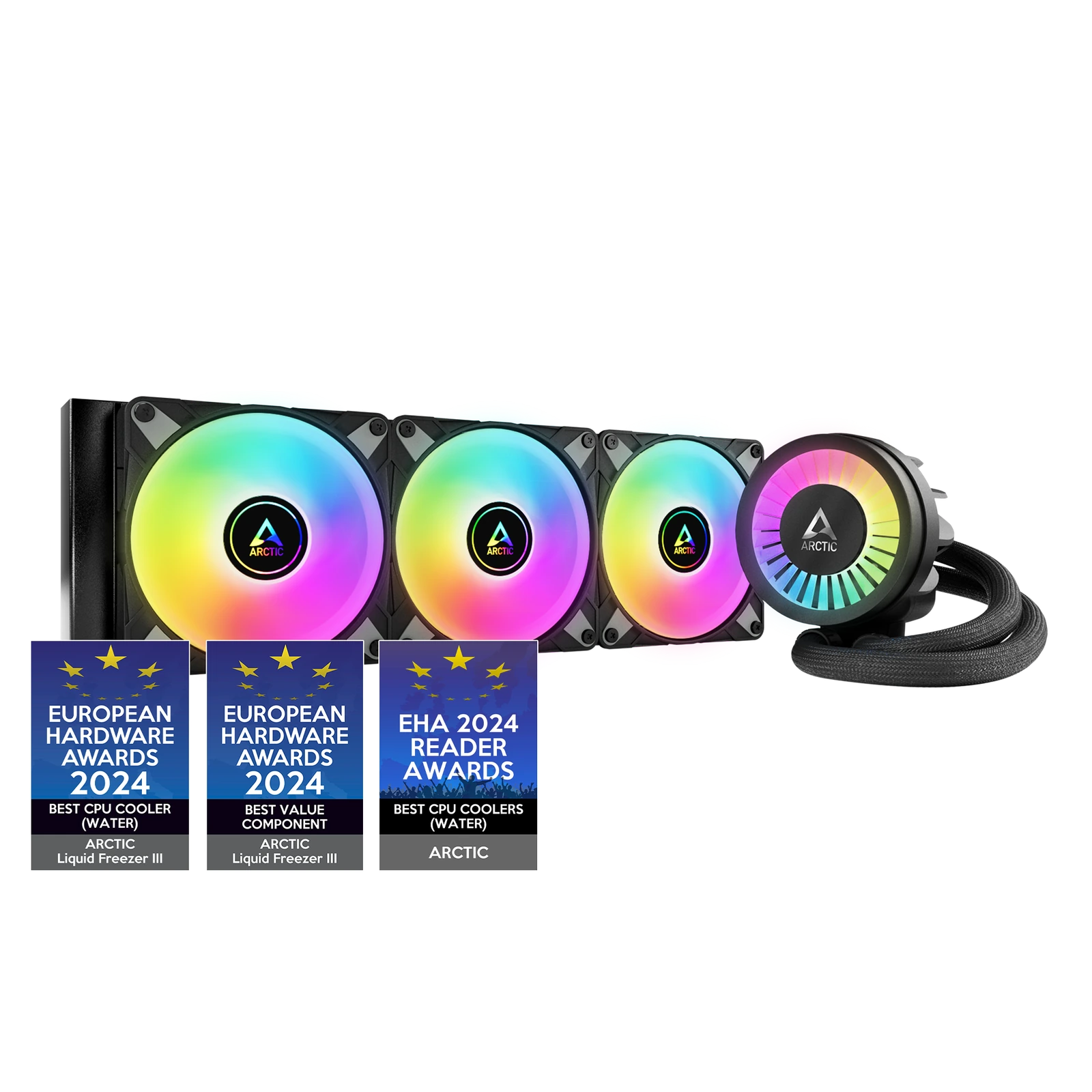
Arctic Liquid Freezer III 360 (or 360 A-RGB)
The 2026 value+performance consensus pick — 3-8°C cooler than rivals at the same noise, with a real integrated VRM fan.
Best for creators (LCD)
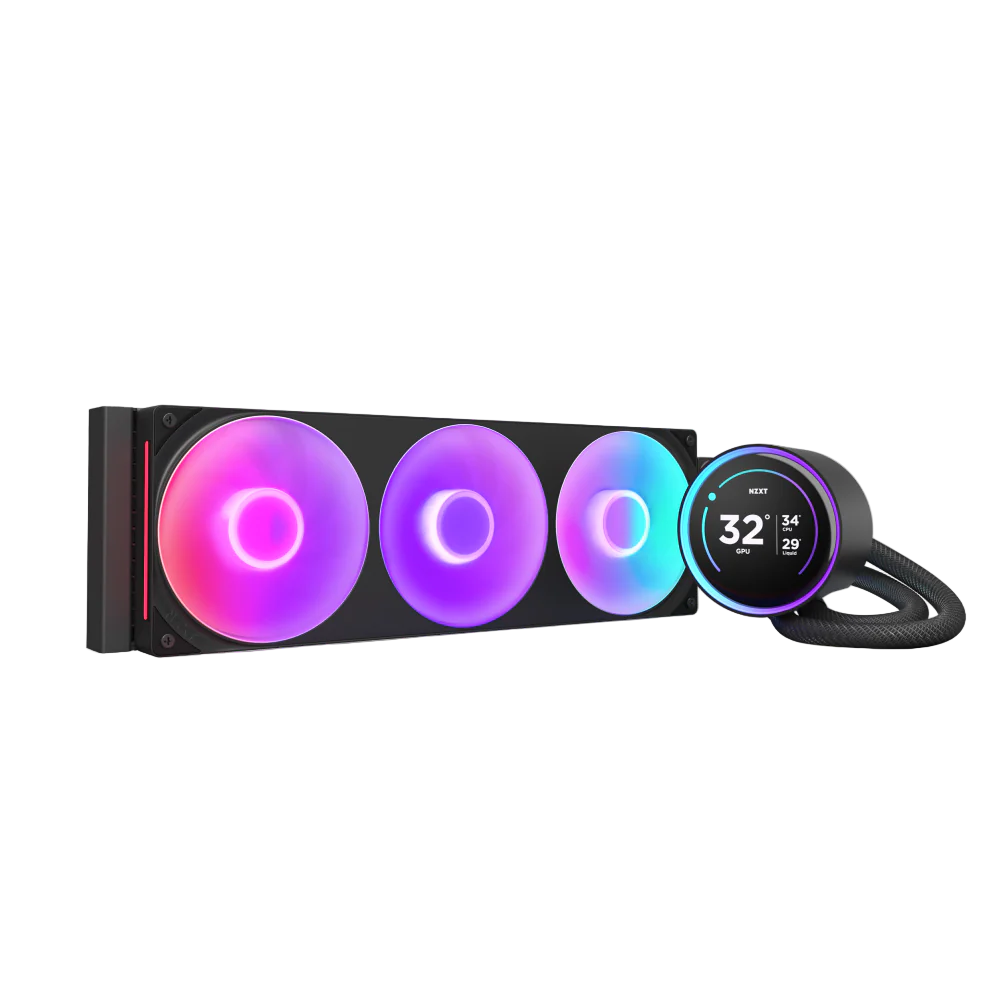
The AIO display done right — a sharp 2.72-inch LCD that reads like a small second monitor for creators.
Best cable management
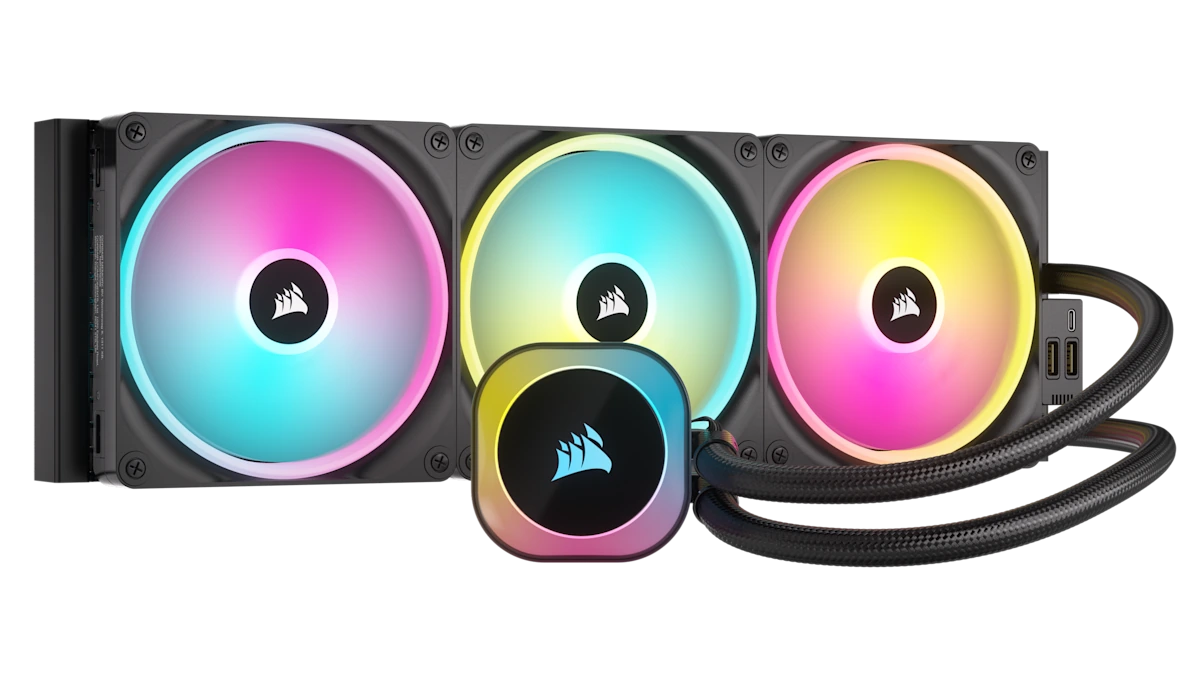
Corsair iCUE Link Titan 360 RX RGB
The cable cleanup — the iCUE Link daisy-chain drops nine cables behind the board to one.
Best aesthetics / RGB
Lian Li Galahad II Trinity Performance 360
The RGB showpiece that still cools — a beautiful infinity-mirror pump head on an Asetek-derived platform.
Best budget
The budget cooler that embarrasses $100-150 AIOs — within 3-5°C of premium picks under load, with a 5-year warranty.
How we picked
AIO cooler recommendations are easier than they should be, because the market has consolidated around a handful of platforms that all work and a long tail of mediocre ones that all don't. Setup Quarterly weighs four signals:
- Thermals under sustained load, not peak boost. A cooler that runs a Cinebench R23 multi-thread loop for 30 minutes at 8 degrees lower than the competition is the cooler we want. Peak single-thread benchmarks don't separate AIOs anymore -- everything reasonable handles a 5-second boost.
- Pump and fan noise at idle and under load. Workstations live next to a microphone half the day. The gap between "quiet at idle, audible under load" and "audible at idle, loud under load" is where most cheap AIOs end up. We weight noise floor as heavily as raw thermal performance.
- Warranty and pump reliability. The pump is the failure point on every AIO ever built. Arctic ships 6 years, ID-COOLING ships 5. The brands that ship 2-3 are quietly telling you their pumps last 3 years. Believe them.
- Cable and accessory ecosystem. The iCUE Link, L-Connect 3, and similar daisy-chain systems aren't gimmicks -- they materially reduce the cable count behind the motherboard and improve airflow. The trade-off is vendor lock-in for future fans. Worth knowing before you buy.
We do not accept payment to recommend products. See our affiliate disclosure for how Setup Quarterly is funded, and our methodology page for the rest of our editorial standard.
1. Arctic Liquid Freezer III 360 — Best overall
— Setup Quarterly editorial score
Reasons to buy
- 3-8°C cooler than other 360mm AIOs at equal noise
- 38 mm radiator — more heat-dumping surface
- Integrated 40 mm VRM fan cools the socket VRM
- 6-year warranty; under $100
Reasons to avoid
- 38 mm radiator thicker than most cases expect
- Plain black next to the RGB picks
- May need top-mount pull-up if clearance is tight
For: almost everyone. The Arctic Liquid Freezer III is the AIO we'd recommend to a friend without asking another question, and the AIO we'd put in our own workstation if cost mattered at all.
The Liquid Freezer III earns its place at the top of the list for a simple reason: it consistently runs 3-8°C cooler than other 360 mm AIOs at the same noise level, under sustained CPU loads, in every independent thermal test we trust (Tom's Hardware, TechPowerUp, GamersNexus). The reason is mechanical, not magical -- the radiator is 38 mm thick instead of the standard 27 mm, which gives the coolant more surface area to dump heat. The Arctic P12 PWM PST fans are the reference fans the rest of the industry compares itself to, and the integrated 40 mm VRM fan that sits on the pump head genuinely cools the VRM around the CPU socket (the part of your motherboard that gets hot but doesn't have a fan over it on any other AIO).
The 6-year warranty is the longest in the AIO category by a meaningful margin. Arctic pays out on RMAs without arguing. We've seen 7-year-old Arctic CPU coolers still running with the pump intact.
The catches are real but small. The 38 mm radiator is thicker than most cases anticipate -- check your case's roof clearance before ordering, and budget for top-mount with the fans pulling up rather than push-pull through the radiator if clearance is tight. The black Liquid Freezer III is plain-looking next to the RGB picks below. If you specifically want a showpiece cooler, the Galahad II below is the right answer. If you want the cooler that keeps your CPU coolest at the lowest noise floor and the lowest price, this is it.
Check current price on Amazon.
2. NZXT Kraken Elite 360 — Best for creators (LCD)
— Setup Quarterly editorial score
Reasons to buy
- 2.72-inch 640×640 IPS LCD, 660 nits
- Glanceable CPU temp / clock / render queue
- Attractive pump-head RGB with the LCD off
- Thermals stay clear of throttling
Reasons to avoid
- Expensive $279-$329 — almost 3× the Arctic
- CAM software is the weakest part
- A few degrees behind the Arctic on thermals
- F120 fans not class-leading on noise
For: video editors, streamers, 3D artists, and anyone whose workflow benefits from glanceable system data without a second monitor.
The Kraken Elite's 2.72-inch 640×640 IPS LCD on the pump head is the AIO display done right. It is sharp, it is bright (660 nits), and it is large enough that the CPU temperature, system clock, animated GIF, or live render-queue status is actually readable from across the desk. NZXT's CAM software is the weakest part of the package (it occasionally needs a kick), but the display itself is the closest thing to "small second monitor" we've seen on an AIO.
Thermal performance lands a few degrees behind the Arctic Liquid Freezer III in independent tests but stays well within the band where sustained-load throttling never kicks in for any current consumer CPU. The F120 RGB Core fans are solid -- not class-leading on noise but well-tuned out of the box -- and the integrated RGB lighting on the pump head is among the most attractive in the category if you turn the LCD off.
The cost question is the real one. At $279-$329, the Kraken Elite is almost three times the Arctic. You are paying for the display. Whether that math works depends on whether you'll actually use it -- in our experience, the LCD is the kind of thing that's a gimmick on a pure-gaming PC and a real workflow utility on a creator workstation where checking render progress or thermal headroom mid-export matters.
Check current price on Amazon.
3. Corsair iCUE Link Titan 360 RX RGB — Best cable management
— Setup Quarterly editorial score
Reasons to buy
- Single-cable daisy-chain — ~9 cables to one
- Dramatic in a glass-side case
- RX RGB fans quieter than previous LL fans
- iCUE better-maintained than CAM; LCD variant
Reasons to avoid
- Proprietary — future fans must be iCUE Link
- Ecosystem lock-in
- A few degrees behind the Arctic
- Premium priced $239-$289
For: builders who care about how the inside of the case looks as much as how it performs, and anyone who's ever cursed while trying to route nine cables behind a motherboard tray.
The iCUE Link Titan's reason to exist is the single-cable daisy-chain. Each iCUE Link fan and pump connects to the next with one short proprietary cable; the whole chain returns to the System Hub on a single longer cable, and the System Hub connects to the PSU and the motherboard. The cable count behind the motherboard drops from typically nine cables (three fan PWM + three RGB + one pump PWM + one pump RGB + one system hub) to one. The difference inside a glass-side case is dramatic.
The trade-off is real and worth knowing about. iCUE Link is a proprietary Corsair ecosystem. Every fan you add to this AIO in the future has to be an iCUE Link fan, not a standard PWM fan. Once you commit to iCUE Link, you're committing to Corsair fans for the rest of the build. Some builders love that (one app, one ecosystem); some will find it claustrophobic.
Thermal performance is competitive with the Kraken Elite -- a few degrees behind the Arctic, well ahead of the budget tier. The RX RGB fans are quieter than the previous-generation Corsair LL fans at the same RPM and look better with the lights off. The iCUE software is better-maintained than NZXT's CAM and has a cleaner per-component control surface for fan curves and lighting profiles.
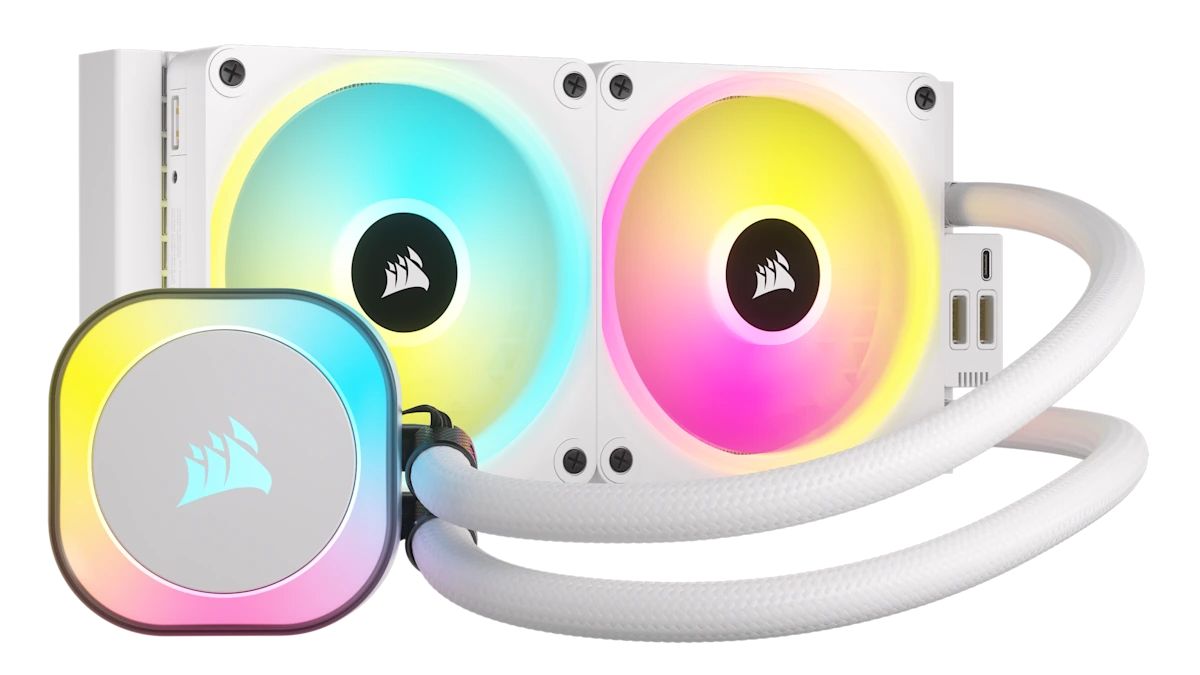
Premium upgrade: the iCUE Link Titan 360 RX LCD variant swaps the plain pump cap for a customizable IPS display -- recommended if you've already committed to the iCUE Link ecosystem and want CPU temperature, clocks, or an animated logo on the cooler itself. It runs roughly $60-80 over the standard RX RGB model.
Check current price on Amazon.
4. Lian Li Galahad II Trinity Performance 360 — Best aesthetics / RGB
— Setup Quarterly editorial score
Reasons to buy
- Infinity-mirror pump head — beautiful at any setting
- Uni Fan SL Infinity carry the look
- Thermals ahead of Corsair and Kraken for less
- Performance SKU adds P28 fans
Reasons to avoid
- Uni Fan ecosystem lock-in
- Smaller ecosystem than Corsair's
- Loses a few degrees to the Arctic
- P28 fans trade glow for throughput
For: showcase builds in glass-side cases, anyone who's invested in the Lian Li Uni Fan ecosystem, and builders who want the AIO to be the visual centerpiece of the workstation.
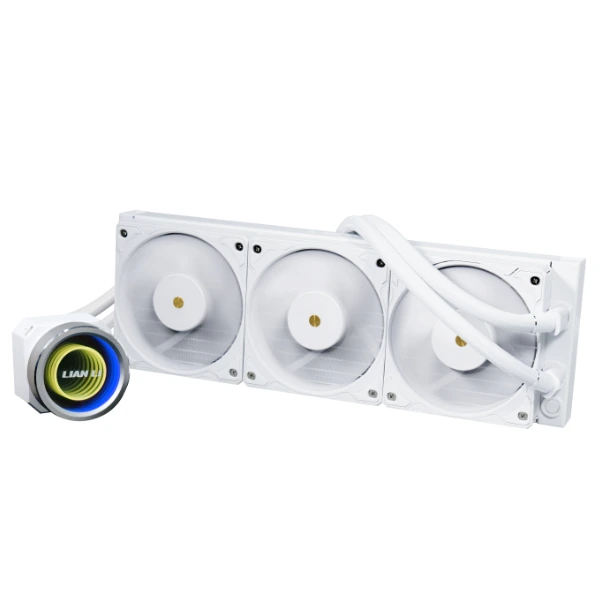
The Galahad II Trinity Performance is the AIO we'd recommend if RGB is half the reason you're building the PC in the first place. The infinity-mirror pump head is genuinely beautiful at any setting -- not the cheap concentric-ring effect that most RGB pumps ship with -- and the Uni Fan SL Infinity fans on the radiator carry the same visual language across the build. The L-Connect 3 controller pairs over USB and the per-fan and per-zone lighting control is some of the better software in the category.
The reason "RGB pick" doesn't necessarily mean "compromise on thermals" is that the Galahad II's pump platform is the same Asetek-derived design Lian Li shares with several of the high-end OEM coolers. Thermal performance lands ahead of the Corsair and Kraken Elite for a meaningfully lower price, while losing only a few degrees to the Arctic Liquid Freezer III. The Performance SKU swaps in Lian Li's P28 high-static-pressure fans (over the SL Infinity) for better radiator throughput at the cost of a slightly duller fan glow.
The downside is the Lian Li Uni Fan ecosystem lock-in is similar in flavor to Corsair's iCUE Link -- if you build out the rest of the case with Uni Fans, you commit to the Uni Fan controller and daisy-chain pattern. Lian Li's ecosystem is smaller than Corsair's but generally better-tuned for builders who care more about how things look than how many SKUs are available.
Check current price on Amazon.
5. ID-COOLING FX360 PRO — Best budget
— Setup Quarterly editorial score
Reasons to buy
- Within 3-5°C of Kraken/iCUE Titan under load
- 5-year warranty — rare at this price
- ARGB variant adds lighting for $10-20
- Sub-$70 (MSRP $59-$79)
Reasons to avoid
- Fans louder at full RPM than premium picks
- Weakest software in the category
- No daisy-chain cable management
- Mediocre paste — budget $5-10 to replace
For: first-time AIO buyers, builders on a tight budget, and anyone who refuses to pay $100+ for a 360 mm cooler when a $65 one performs nearly as well.
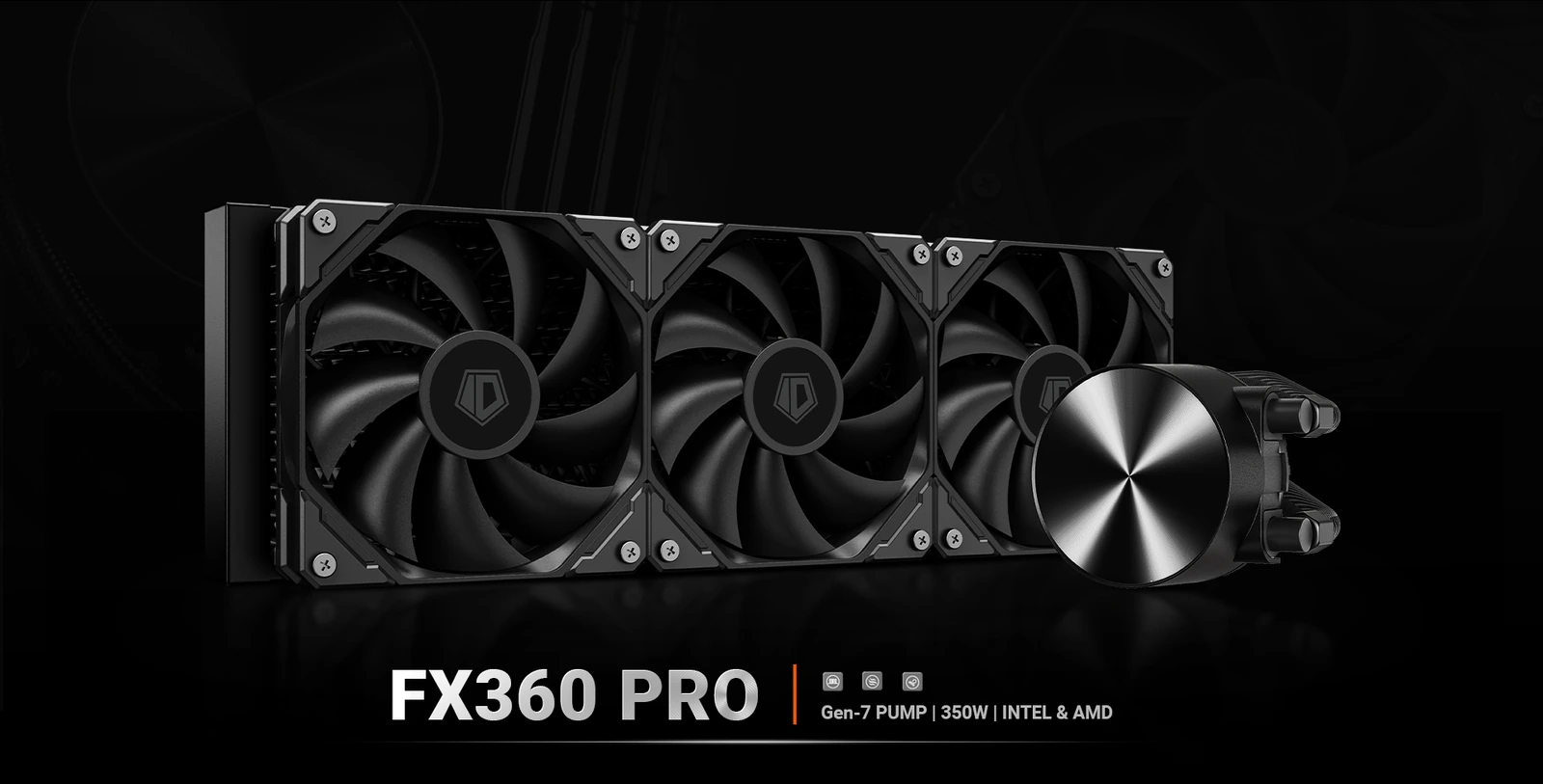
The ID-COOLING FX360 PRO is the budget pick that quietly embarrasses most $100-150 AIOs. Independent thermal tests at TechPowerUp and GamersNexus consistently show the FX360 PRO landing within 3-5 degrees of the much more expensive Kraken Elite and iCUE Link Titan under sustained Cinebench loads. The fans are louder at full RPM than the premium picks above -- this is where the cost savings come from -- but the noise gap closes considerably at 70-80% fan speeds, which is where most ambient-cooled CPUs run anyway.
The 5-year warranty is the surprise. Most budget AIOs ship 2-3 year warranties; ID-COOLING ships 5 on this model. We've seen FX-series coolers from previous generations still running with the pump intact in year four, so the warranty isn't just marketing.
The ARGB variant adds basic addressable lighting on the fans and the pump head for an extra $10-20. It's not class-leading aesthetics -- the lighting is uniform, not zonal, and the fan blades aren't translucent -- but it's a meaningful step up from a no-lights black AIO for the price.
Trade-offs: the software (if you want fan and RGB control beyond your motherboard's headers) is the weakest in the category. There's no daisy-chain cable management -- you're back to standard three-fan + RGB header runs. And the included thermal paste is mediocre; budget $5-10 for a proper tube of Arctic MX-6 or Noctua NT-H2 when you order the cooler.
Check current price on Amazon.
The five picks, side by side
| Cooler | MSRP | Radiator | Socket | Extras | Standout |
|---|---|---|---|---|---|
| Arctic Liquid Freezer III 360 (or 360 A-RGB) | $89-$119 | 360 mm, 38 mm thick (chunkier than most) | AM5 / AM4 / LGA 1851 / LGA 1700 / LGA 1200 | Integrated 40 mm VRM fan + 6-year warranty | The 2026 value+performance consensus pick across nearly every reviewer; the integrated VRM fan is real, not marketing |
| NZXT Kraken Elite 360 (RGB) | $279-$329 | 360 mm, 27 mm thick | AM5 / AM4 / LGA 1851 / LGA 1700 | 2.72-inch 640×640 IPS LCD on the pump head + CAM software | A real display, not a 1-inch novelty: GIF/clock/CPU temp/system stats visible without a second monitor |
| Corsair iCUE Link Titan 360 RX RGB | $239-$289 | 360 mm, 27 mm thick | AM5 / AM4 / LGA 1851 / LGA 1700 | iCUE Link daisy-chain single-cable system + System Hub | One cable to the System Hub replaces the rat's-nest of three fan cables + three RGB cables + a pump cable |
| Lian Li Galahad II Trinity Performance 360 | $179-$219 | 360 mm, 27 mm thick | AM5 / AM4 / LGA 1851 / LGA 1700 | Infinity-mirror RGB pump head + L-Connect 3 controller + Uni Fan ecosystem | If RGB is half the reason you're building, this is the AIO that earns it — and it cools well |
| ID-COOLING FX360 PRO | $59-$79 | 360 mm, 27 mm thick | AM5 / AM4 / LGA 1851 / LGA 1700 | 5-year warranty, ARGB lighting included on the PRO SKU | Outperforms several $100-150 AIOs in independent TechPowerUp and GamersNexus thermal tests; the warranty is what you'd expect at twice the price |
What we considered but didn't pick
Three coolers came close to making the list and got cut for specific reasons worth naming:
- Arctic Liquid Freezer III 420 — arguably the best-performing AIO on the market in 2026, period. We didn't put it at #1 because 420 mm radiators only fit in select cases and the mounting complexity is meaningfully higher than 360. If your case can accept a 420 mm radiator, this cooler beats the 360 by another 3-5 degrees. For most builders, the 360 is the right answer.
- Corsair Nautilus 360 RS — an excellent quiet cooler at a more reasonable price than the iCUE Link Titan, but we cut it because the thermal headroom is meaningfully smaller and the RS line doesn't ship with the iCUE Link daisy-chain (the cable-cleanup we picked the Titan for in the first place).
- Asus ROG Ryujin III 360 ARGB — the 1.77-inch LCD pump head competes directly with the Kraken Elite at a similar price, but the smaller screen is meaningfully less useful than NZXT's 2.72-inch panel for the workflow use cases that justify a pump-head display in the first place.
Buying advice
Four things worth thinking about before you click buy:
- Check the radiator thickness against your case. The Arctic Liquid Freezer III's 38 mm radiator is thicker than the 27 mm standard most cases anticipate. If you're roof-mounting in a mid-tower with limited clearance above the motherboard, measure first or plan to front-mount as intake.
- Replace the thermal paste -- always. Every AIO ships with thermal paste pre-applied or in a small tube. Most of it is mediocre. A $10 tube of Arctic MX-6, Noctua NT-H2, or Thermal Grizzly Kryonaut gets you 2-4 degrees on the same cooler with the same fan curve. Worth the trip.
- Don't buy iCUE Link or L-Connect without committing to the ecosystem. The daisy-chain cable advantage only works if every fan in your case is the same ecosystem. Buying a mixed-vendor case fan setup with an iCUE Link AIO defeats the cable-cleanup point.
- Check pump RPM in your motherboard BIOS. Most AIOs default to 100% pump speed which is unnecessarily loud. Drop pump speed to 70-80% in BIOS or motherboard software; thermals change by 1-2 degrees at most, noise drops meaningfully.
Frequently asked questions
Do I need a 360 mm radiator? Is 240 mm enough?
For modern AM5 Ryzen 9 or Core Ultra 9 CPUs under sustained productivity loads, 360 mm is the right call. 240 mm AIOs are sufficient for mid-tier CPUs (Ryzen 7 or Core Ultra 7) and gaming workloads, but the headroom margin shrinks. For workstations specifically, the 360 mm vs 240 mm price gap is small enough that we'd default to 360.
How long do AIO pumps actually last?
Realistically: 5-7 years for a quality AIO from Arctic, NZXT, Corsair, Lian Li, or Asus, with the pump being the failure point. Budget AIOs (sub-$60) sometimes fail in years 2-3. Buy from a brand with a warranty matching your replacement cycle expectation -- the Arctic 6-year and ID-COOLING 5-year warranties at the top of this list are both meaningful.
Air cooler or AIO — which should I pick?
Two tests: case clearance and noise tolerance. A Noctua NH-D15 or Thermalright Phantom Spirit 120 SE Air cooler matches the Arctic Liquid Freezer III's thermals at similar noise levels for less money, but they take up a huge amount of case space and limit RAM height. AIOs free up case airflow and look cleaner on a glass-side build. If you don't care about how the inside of the PC looks and your case can fit a 165 mm tall heatsink, air is the budget answer. For workstations in clean cases, AIO is the right call.
The bottom line
Most workstation builders should buy the Arctic Liquid Freezer III 360 -- it beats coolers twice its price on thermals, ships a 6-year warranty, and the integrated VRM fan is a feature no other AIO offers. If you specifically need a pump-head display for a creator workflow, the NZXT Kraken Elite 360 is the right premium pick. If your case is going to have a glass side panel and you'd rather not see the cable mess behind the motherboard, the Corsair iCUE Link Titan 360 RX RGB earns the premium it charges. If RGB is the point rather than a side effect, the Lian Li Galahad II Trinity Performance 360 is the showpiece pick that doesn't compromise on cooling. And if your budget is real, the ID-COOLING FX360 PRO at sub-$70 will outperform most $130-150 coolers from premium brands.
Whichever you pick, replace the included thermal paste, drop the pump RPM to 70-80% in BIOS, and budget for an extra case fan or two. The cooler is doing half the work; the case airflow is doing the other half.
Related buyer's guides
Buyer's guide / Headphones
The best gaming headphones in 2026
Six headsets for six players: a planar-magnetic flagship, the best wireless value, an esports low-latency pick, an open-back audio champion, the wired value benchmark, and the lightest budget wireless option.
6 picks →
Buyer's guide / Mice
The best mouse in 2026
Six picks across gaming, productivity and ergonomics: a 48.9 g esports flagship, an innovative haptic-click mouse, the budget standout, the productivity king, a vertical ergonomic mouse, and a small-hands all-rounder.
6 picks →
Buyer's guide / Keyboards
The best gaming keyboards in 2026
Five picks for gamers: the Wooting 80HE Hall-effect flagship, a premium wireless magnetic board, a dependable mainstream mechanical, a $40 magnetic-switch surprise, and the high-polling wireless option — plus an AULA RGB family showcase.
5 picks →
Buyer's guide / Keyboards
The best keyboards for programming in 2026
Five picks for developers: a premium aluminium custom, a value board with the same firmware, a portable low-profile, a $40 budget surprise, and the quietest option for shared offices.
5 picks →
Buyer's guide / Standing desks
The best standing desks for developers and creators in 2026
Five picks for five workstations: the most-customizable premium desk, the price-to-performance value pick, the eco-conscious bamboo classic, the four-leg desk for triple-monitor builds, and the one that goes from box to built in fifteen minutes.
5 picks →
Buyer's guide / GPUs
The best GPUs in 2026
Five picks for five buyers: a halo card, a creator workstation, the last reasonable high-end value pick, the best 4K-per-dollar AMD card, and the budget GPU that finally has enough VRAM.
5 picks →